306 effectsParticles, keying, color, distort, time and more
38 blend modesPlus track mattes, parenting and motion blur
Lottie in and outExport a comp as Lottie JSON for web and apps
Private by designFootage and renders stay on your device
If you know After Effects, you already know where things are
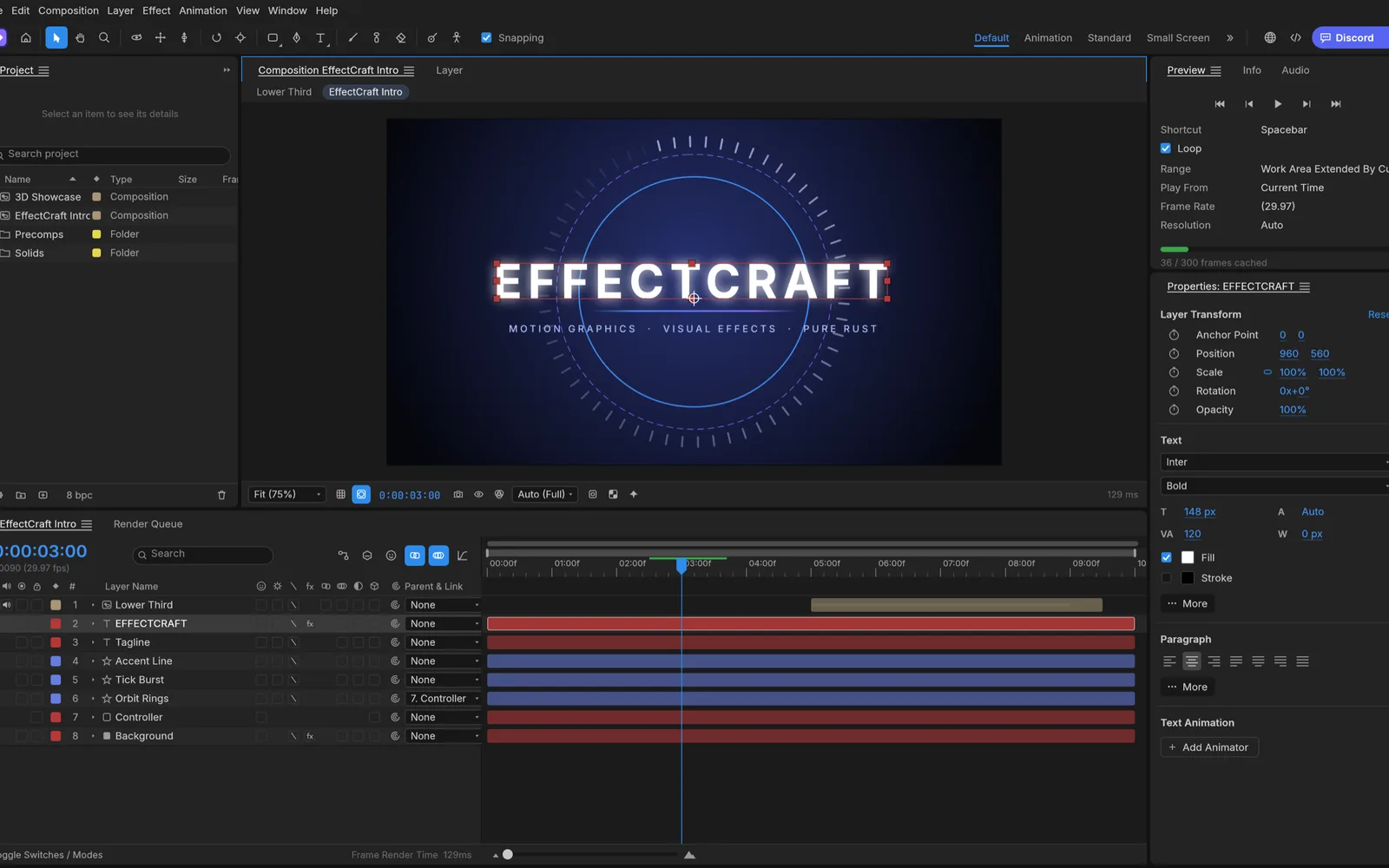
Project, Composition, Timeline, Effect Controls, Effects & Presets and the Render Queue sit where you expect them, and the timeline shortcuts work: P, S, R, T, U, F9. Here is some of what the web build does.
Keyframes that behave the way you expect
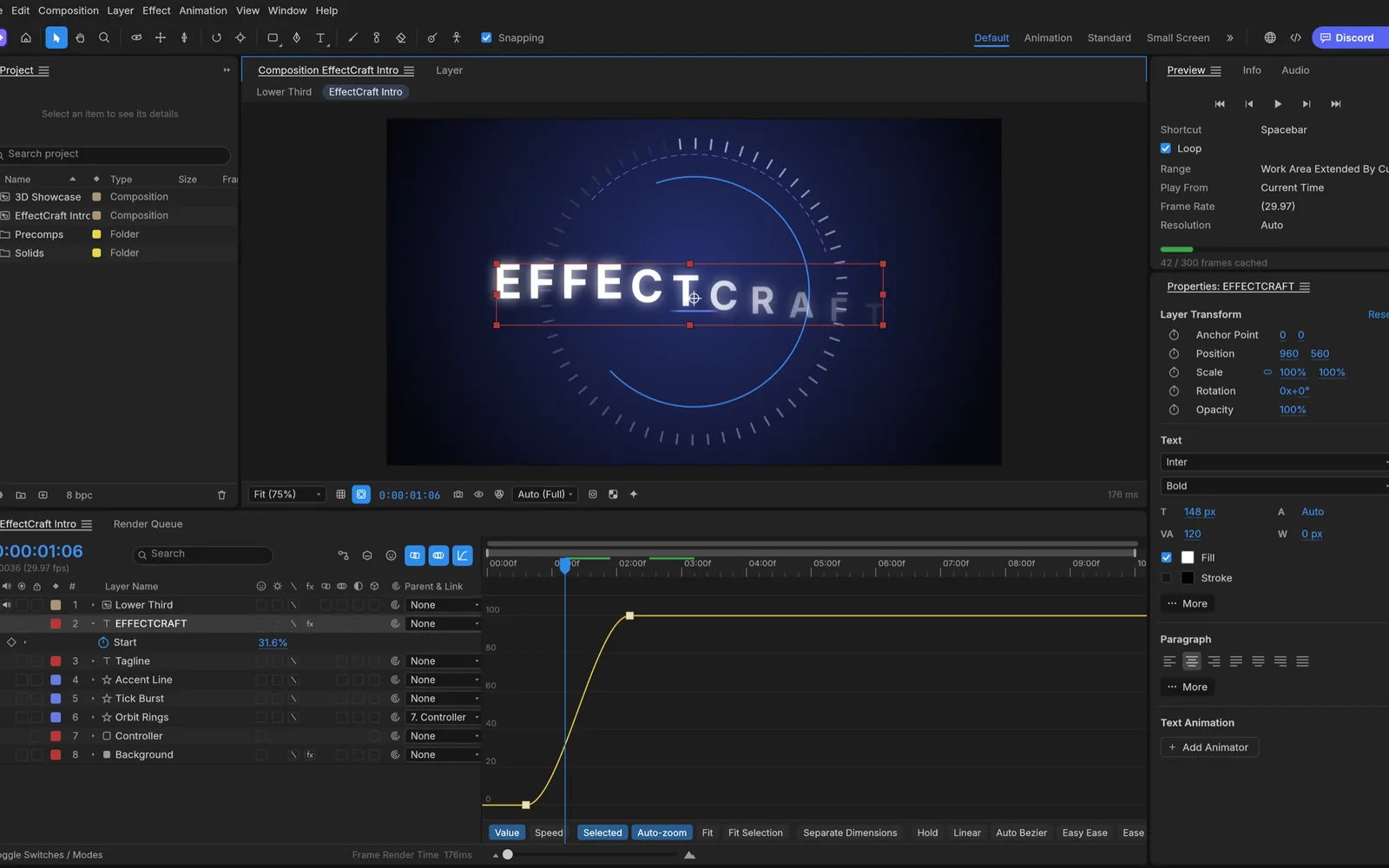
Linear, Bezier, hold, auto and continuous Bezier keys, Easy Ease on F9, roving keys and a Graph Editor with value and speed graphs. Time remapping, time stretch, freeze frames and markers work at any frame rate, 29.97 drop-frame included.
Graph Editor on a text animator’s Range Start. Screenshot from the EffectCraft project.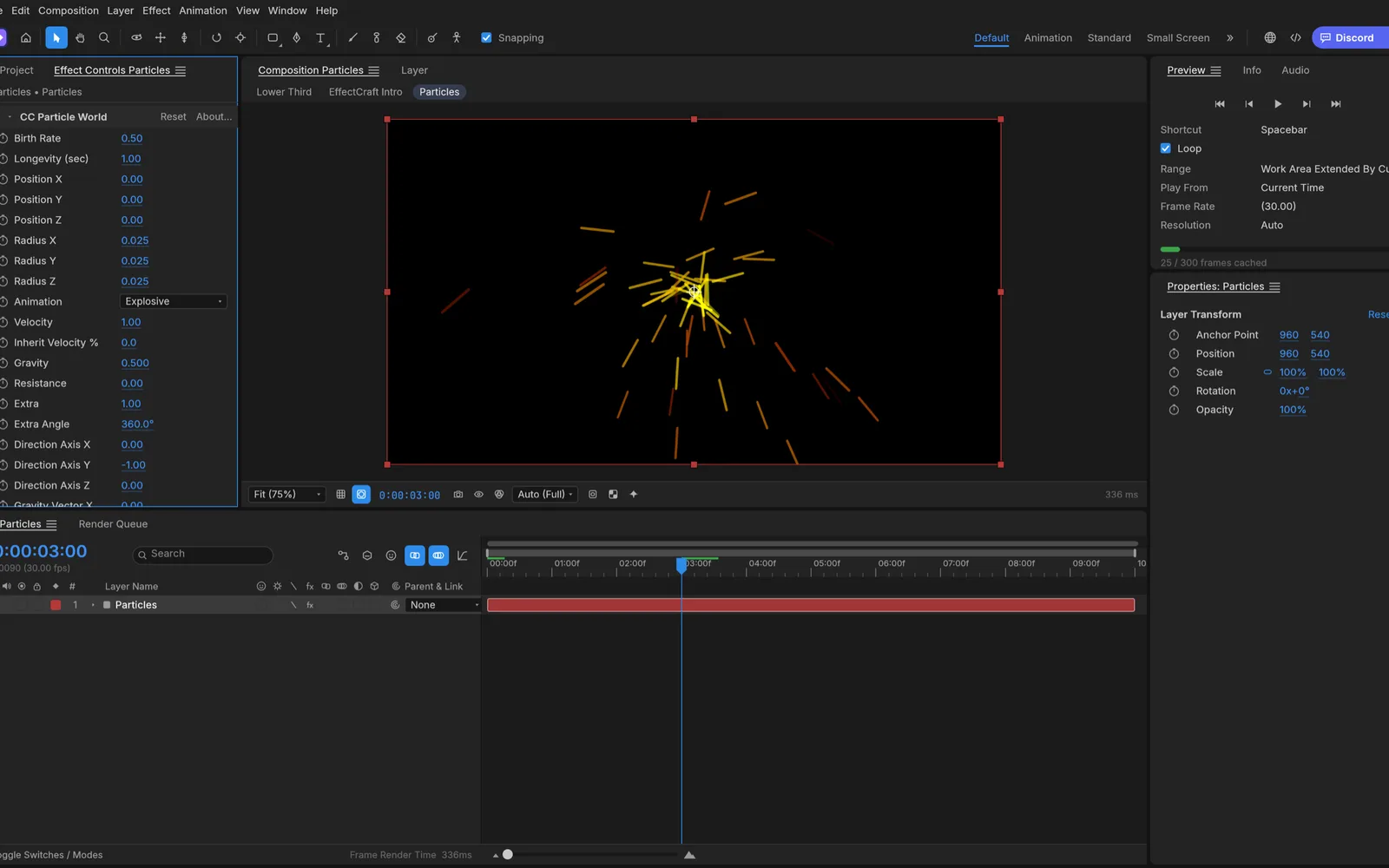
306 effects, with the names you know
Blur and sharpen, color correction (Curves, Levels, Lumetri Color), distort, keying, generate (Fractal Noise, Gradient Ramp, Audio Spectrum), simulation (CC Particle World, Shatter, Card Dance), time effects and more, each with its familiar parameters and defaults.
CC Particle World with Glow. Screenshot from the EffectCraft project.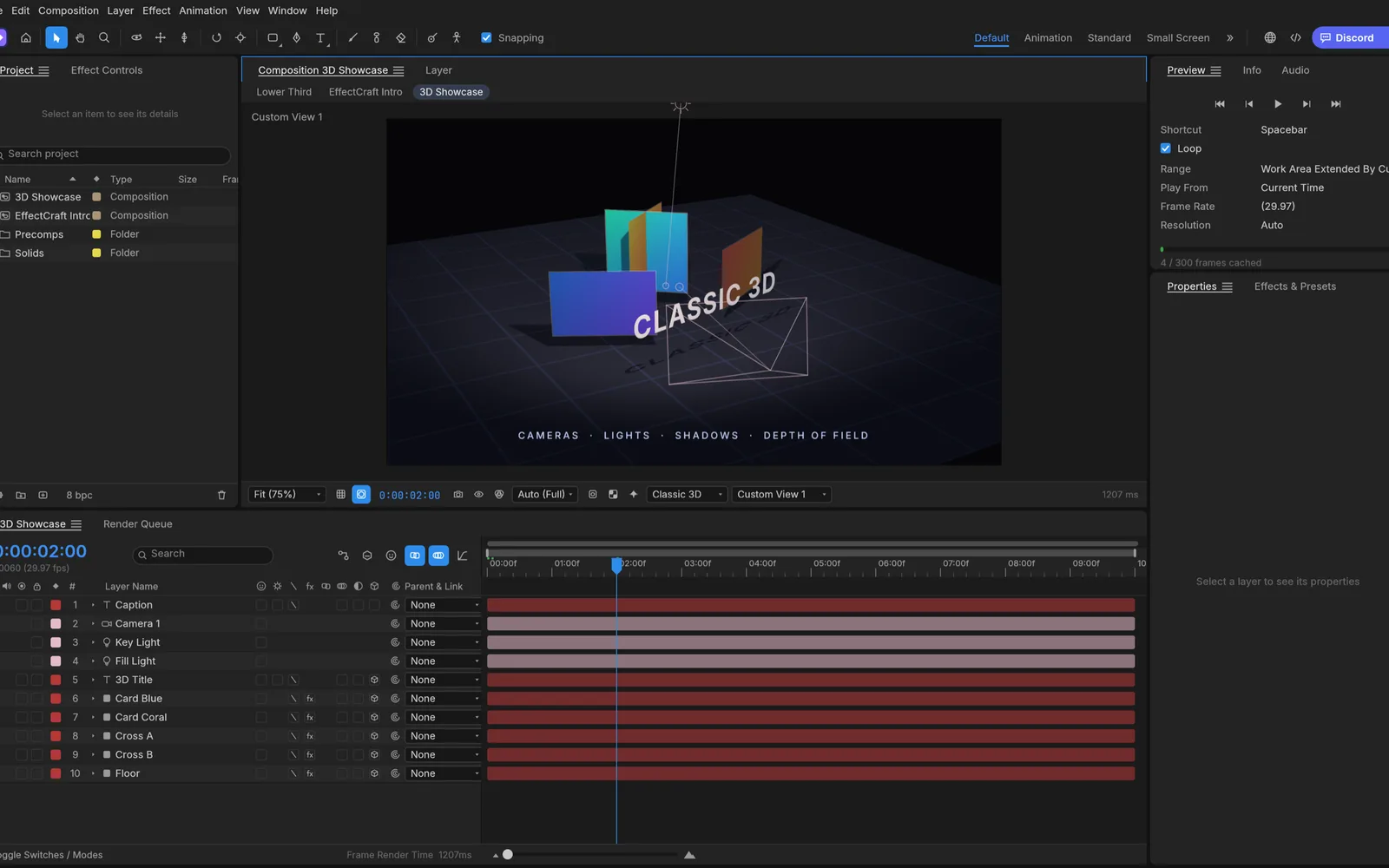
Classic 3D: cameras, lights, shadows
3D layers with material options, one- and two-node cameras with depth of field, parallel, spot, point and ambient lights with soft shadows, and layers that intersect correctly. Orbit, pan and dolly the camera, or switch to Front, Top and Custom views.
The 3D Showcase demo in Custom View 1. Screenshot from the EffectCraft project.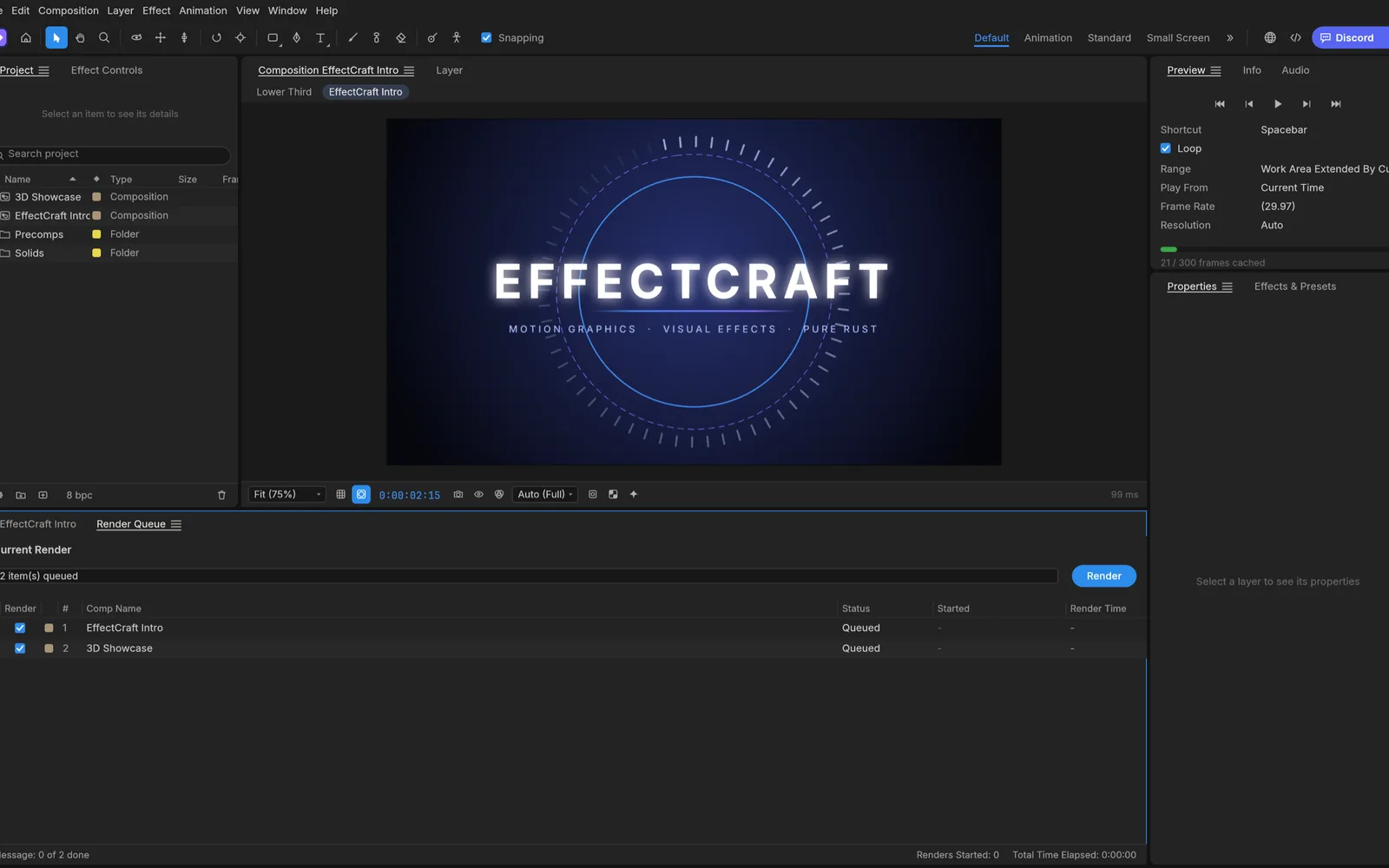
A Render Queue that writes real video
H.264 MP4, ProRes MOV (including 4444 with alpha), HEVC, AV1, WebM with VP9 alpha, image sequences, animated GIF and WAV. The encoders are written in Rust, so the browser build renders the same formats as the desktop app. Finished renders arrive as downloads.
Render Queue with H.264 and ProRes output. Screenshot from the EffectCraft project.Questions
Is EffectCraft Online free?
Yes. EffectCraft is free and open source, there is no account and no watermark. The optional AI tools use your own API key, so any AI usage is billed by your provider, not by us.
Is this the official EffectCraft?
It is the official EffectCraft web build, unmodified, as the ArtCraft team publishes it on GitHub. This site is independent: we host that build, keep it on the latest release and add an AI panel around it.
Are my videos uploaded anywhere?
No. EffectCraft runs inside your browser with WebAssembly. Footage you import is kept in your browser’s own storage, renders happen on your device and finished files arrive as downloads. The only exception is the AI panel, which sends the prompt and frame you choose straight to the AI provider whose key you entered.
Does it keep my work if I close the tab?
The browser version keeps your session in the browser’s storage, so the project you had open comes back on your next visit, unsaved changes included. File › Save also stores the project there (File › Open Recent lists it) and downloads a copy as an .ecproj file. Clearing site data removes it, and some private windows keep nothing, so download projects you care about.
Can it open After Effects projects?
No. EffectCraft saves its own .ecproj format, readable JSON, and cannot open .aep or .aepx files. After Effects plug-ins do not run either. You rebuild the comp in EffectCraft with the same layers, keyframes and effect names.
Which browsers work?
Any current browser with WebGPU or WebGL2. Chrome and Edge get the most out of it, because they also offer WebGPU inside Web Workers, where EffectCraft renders effects. Other browsers render effects on the CPU, which is slower. Use a desktop or laptop: the app needs a big screen and plenty of memory.
Which fonts can I use in text layers?
In the browser, the fonts bundled with EffectCraft: Inter, Noto Serif and JetBrains Mono. A web page cannot read the fonts installed on your computer. The desktop app shapes text in any installed font.
How close is it to After Effects?
Its developers estimate that about 91% of After Effects’ features exist, but EffectCraft is young (its first commit was on October 1, 2026) and in alpha. They say plainly that it is not yet a replacement for After Effects on client work, and behavior still differs in places.